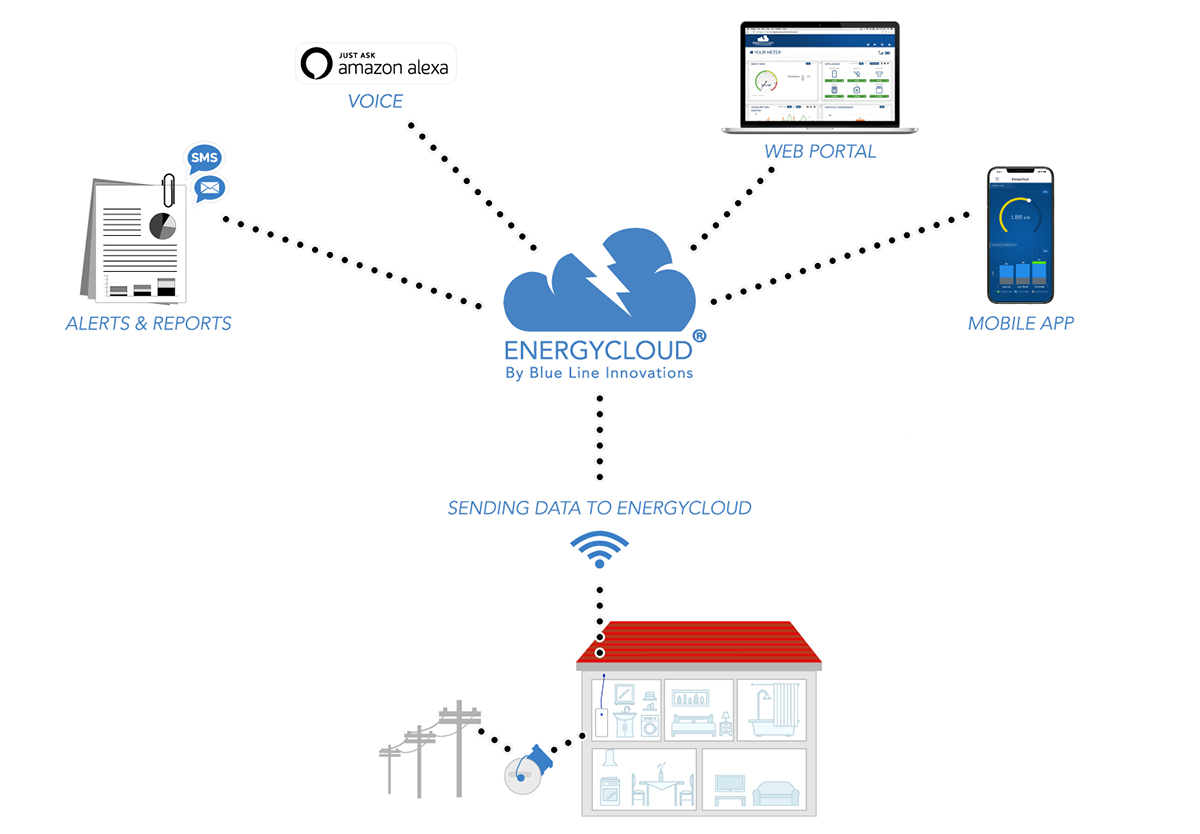
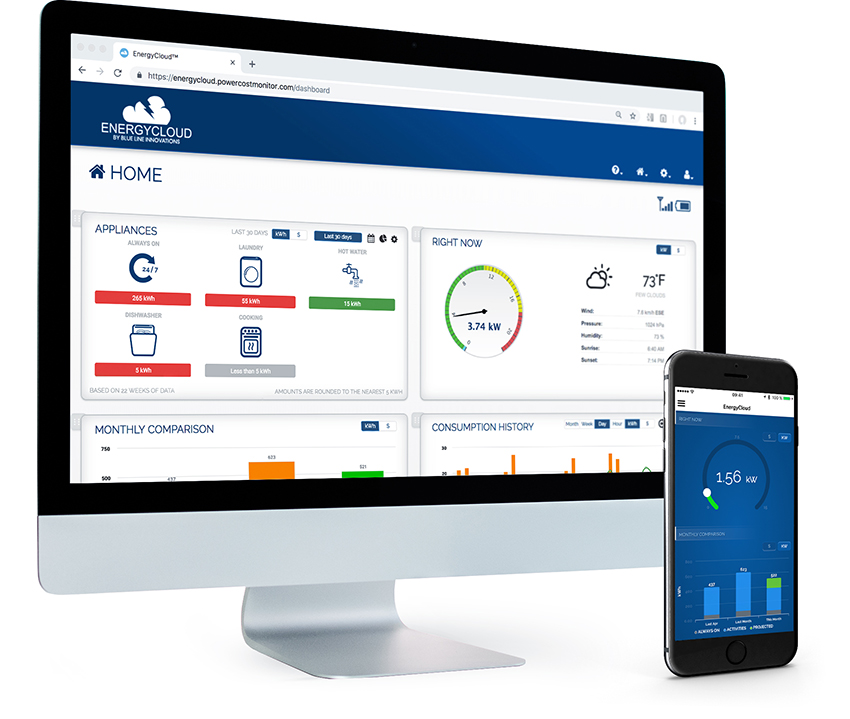
In trial tests for the PowerCost Monitor in Canada and the United States, many people have enjoyed real savings on their electricity bills. There are a number of questions which interested consumers have asked us about the PowerCost Monitor. For your convenience we've listed the most frequently asked questions below.

 PowerCost Monitor WiFi and Sensor - Installations on different meters, light behaviors, WiFi FAQs, and much more!

  Frequently Asked Technical and Troubleshooting Questions for the WiFi Gateway 

  • Video: PowerCost Monitor™ Gateway – how it connects to Microsoft® Hohm™
  • Video: Microsoft® Hohm™ now with real time electricity reporting.


    • Is my Meter Compatible with the PowerCost Monitor?

      The PowerCost Monitor is compatible with over 90% are meters deployed in North America, including both traditional disk meters, and newer digital meters.

      There are however specific models and limitations that prevents installation on every meter. The following list highlights the most common digital meters that have a pulse for the sensor to trigger off of and those that do not. For disk meters, if the sensor can "see" the black mark and disk from the front, then alignment is possible, provide dthere is no plate covering the disk.

      If your meter is not listed, or if you have any questions as to why your meter is not supported, please feel free to email support@bluelineinnovations.com and a trained technician will respond to your query.

      Supported

      CENTRON by Itron/Schlumberger

      I-210 and I-210+by GE

      iCon by Sensus

      R1S and R2S by Elster (Sometimes called REX1 or REX2)

      Echelon EM-502xx -Series "NES - Solid State Watt Hour Meter"

      Disk meters with Black mark clearly visible

      Not supported because no pulse:

      FOCUS by Landis & Gyr (Triangular port at the 3:00 position)

      Schlumberger MT100/200 Hybrids

      A1T+ A1R+ and A3TL by Elster or ABB(Alpha)

      GE Kv2 Series

      GE TM-900 Hybrid (Disk behind Digital Plate)

      Altimus by Siemens and Landis & Gyr

      ASX/RSX by Landis & Gyr

      Disk meters with plates covering the disk and black mark

      Net Metering (Disk spinning in both Directions or digitals meters displaying bi-directional amounts)


      The PowerCost Monitor consists of two components - a small display (which you can place anywhere inside your home) and a sensor unit (which you attach to your electricity meter).

      The display unit, located inside the home, receives a wireless signal from the sensor unit which is attached to the outside of your electricity meter. The sensor unit can be easily installed by the homeowner. The sensor unit transmits your meter information to the in-home display unit where your electricity information is displayed in kilowatt hours and dollars and cents.

      The PowerCost Monitor is not a utility meter. The PowerCost Monitor simply displays your electricity usage in dollars and cents and kilowatt-hours. It is not a utility meter and is not intended for billing purposes. Data displayed on the PowerCost Monitor is provided for informational purposes only. Owing to timing of meter reads by your utility and combinations of flat rate charges and consumption-based charges, the "Total" readings on your display will not exactly match what you see on your electric bill.

      I have a CENTRON meter and I cannot get it installed and/or I'm experiencing an issue?

      The Centron meter made by either Itron or Schlumberger (Same C1S(R)meter) has a slightly different infrared port position than other digital meters. Please follow the instructions in the Installation Guide, but a few extra tips for installation and troublshooting:

      Top tips for installing on Centron:
      1) Ensure high load appliance is turned on and remains on during installation (Clothes dryer or oven work well)
      2) Ensure arm is tucked in all the way down into the casing, not angled, and that the LEDs are visible
      3) Darker (red) LED is what needs to line up over pipe
      4) If the solid red light does not go to flashing after 30 seconds, press the reset button again to start the cycle fresh
      5) If unsure what the red light behaviour should be, remove arm with pliers so that it is free, clear, and basically hanging by wire; hold LED over pipe and press reset button. You will then see the behavior. Re-insert the arm into the casing and try the install again.
      6) Sensor body should sit at approximately 12:00 position
      7) Push the sensor all the way back, and then bring it forward maybe ¼ inch. This is where the red light should go from solid to flashing
      8) Installing the clamp first through the sensor ensures that when you have the alignment, you can tighten the clamp at that pointand ensure you have not moved the sensor
      9) It is always a good idea to press the reset button right after you tighten the clamp to ensure you didn’t affect alignment while tightening
      10) Red light will go off after 2 minutes no matter if successfully aligned, or still trying in order to save batteries. (the red light is our initial help to get alignment, but then is not needed - for the CENTRON digital meter, you shoudl see 1 flash per second, not a flash only when you move it around)


      I am a Reseller and/or install the PowerCost Monitor?

      Additional Install and Compatibility Slideshow


      Do I need an electrician to install the PowerCost Monitor?

      No. The PowerCost Monitor does not require an electrician for installation. The PowerCost Monitor has been designed so that it is easy for you to install onto your electric meter.


      I’m experiencing poor signal range in and around my house, so I have to keep the Display very close to the meter location; what are the potential causes?


      The PowerCost Monitor system has been tested and proven to work reliably up to about 33m (100') line-of-site. In most cases a reduced range is a result of one of the factors listed below:

      1. Battery condition: Over time the batteries in the sensor and display units will drain resulting in reduced range. This effect can be made worse during cold weather. Try installing fresh batteries. If your outdoor temperature is consistently falling below zero (32F) we suggest using lithium batteries in the sensor unit as they provide better cold weather performance. You may wish to put fresh batteries in the sensor unit in the fall to ensure continued operation throughout the winter.

      2. Wall construction: House construction techniques and materials vary widely. Typically, wood frame walls with non-metallic veneer can reduce the range of the system by up to 5m (15') for each wall between the sensor and display units. Homes with stucco on the exterior walls present a bigger challenge as the wire mesh embedded in the wall acts as a shield blocking the signal. In these cases the useful range may be very short. Concrete walls fall in the middle, depending on thickness. In general, if you have stucco or concrete exterior walls it is best to keep the display unit as close as possible to the sensor.

      3. Wireless interference: The wireless frequency used by the PowerCost Monitor system is popular for devices such as weather stations, thermometers and older style baby monitors. If you are experiencing poor range even with the sensor and display units close together and you have one of these other types of devices try switching it off to see if that improves the PCM range.

      4. Sensor unit misalignment: If your display unit shows a very low power reading constantly even when you turn an appliance on then it is likely that your sensor unit is misaligned and not reading your meter correctly. This is not an issue of range, but it does affect the performance of the system.


      What if I see “Sleep” on the display?

      The “Sleep” message on the display does tell us that the Display has not received a transmission form the Sensor in 10 minutes. Because of this to protect the batteries in the Display, it stopped listening for an update until the batteries in the Sensor were checked and the top button on the Display was pressed. This gap in receiving a transmission means that the cumulative total may not been updated since the “Sleep” notification was activated.

      The Sensor does record a running total of the cumulative total, however the time the 2 units are not communicating, and the household usage in that timeframe will determine if cumulative data has been lost. For example, a break in communication for an hour with low usage may mean the total will update correctly when the communications are re-established, but after 3 days and a household that draws many kWh’s per day, will mean that the total will not jump to cover the missed time.

      Upon reconnection, if the data in the communication break has indeed been lost, the total will simply start counting up again from the last value.

      Causes that would lead to Lose of connection, and potential resolutions:

      1. Cause: Wireless weather station or wireless thermometer Resolution: Ensure that there are no 433MHz wireless weather stations or wireless thermometers operating in the house. If removing the batteries from the other device allows the PowerCost Monitor to operate without issue, then we know that was truly the cause.

      2. Cause: Moving the display out of range Resolution: Bring the Display Closer to the Meter/Sensor location and press the Prog/Sync button on the top of the Display. If the sensor is transmitting, once back in range, the Display should pick up the signal in 30-60 seconds and the top line usage will start coming back in.

      3. Cause: Batteries in the sensor Resolution: The batteries may not be all the way exhausted, but the longer they are in operation, the weaker the transmitted signal may become. If they have been in use for a number of months, cold temperatures will also cause their supplied strength to decrease. The sensor low battery indicator may not be showing on the Display as the level may be right on the edge of acceptable levels, but intermittent transmission may cause a gap in communication. It is always a good idea to replace the batteries in the sensor if there is any doubt, and ensure the red light is behaving as expected for you meter

      4. Cause: Batteries in the display Resolution: As the batteries in the Display drain, the antenna strength will begin to lessen, and a point may come where the Display will not be able to reliably receive transmissions from the sensor. You will not have to re-enter the rates and values in the Display by changing the batteries, EXCEPT for the time and day like any alarm clock.

      5. Cause: Extreme Cold Resolution: When temperatures outside go down consistently to -20C (-4F) regular alkaline batteries can become exhausted very rapidly. If you are experiencing extended periods of these low temperatures, try using lithium type AA batteries in the Sensor Unit. These batteries are commonly available and they provide better performance in cold weather. Alkaline battery level outputs will also lower in these temperatures, and then rise slightly if temperatures increase. (Common at night versus the sun/heat of the day)

      6. Cause: Someone has pressed an held the rest button on the outside unit Resolution: Simply hold the Prog/Sync button on top of the Display Unit for ~5-6 seconds until “id” is shown; go outside, press and release the reset button on the Sensor Unit. The units are then re-synchronized and should communicate again

      7. Cause: House construction Resolution: There’s not much available in regards to changing how the house is made, but there should be a location where reliable communication can be maintained. For example when concrete is used for the outer wall where the meter is located, this may prevent the Display Unit form being placed in the highest traffic area, like the kitchen, but instead must remain in the room with a window closet to the meter location. This may also occur in homes with stucco because of the metal wire mesh, aluminum siding, or simply where the meter location is too far away for the Display Unit to pickup a signal where we want to place it initially.

      8. Damage to the sensor or display Resolution: Sometimes the Display unit is knocked off its resting place and may crack or the internal components be damaged. The sensor unit outside is very robust against the natural elements, however there are times when, either intentionally or unintentionally the sensor may be struck by something causing damage.

      9. Wireless weather station or wireless thermometer on a neighbor’s house very close Resolution: It is not always possible to determine if there is a wireless weather station or wireless thermometer operating in a neighbor’s house. If possible, ask your neighbor if they have such a device installed, or if you think that a neighbor on one side may have one, try positioning the PowerCost Monitor Display on the other side to resolve.

      10. Cause: Combination of one or more of the above Resolution: If one specific noticeable cause above cannot be pinpointed, maybe a combination of two or more minor conditions has been enough to disrupt communication.

      Note: The Low Battery indicated may be displayed for either the Display or Sensor, but then disappear. This occurs when the battery levels are very close to the acceptable threshold, and so it may be slightly below, but then bounce to slightly above.

      AS SOON AS YOU SEE THE BATTERY INDICATOR, YOU SHOULD REPLACE THE BATTERIES.

      This will more than likely begin to cause the "Sleep" notification to appear as well, as the units will lose communication. You may still have days or weeks of uninterrupted operation, but this is the first sign that we need fresh batteries. This is extra important in cold temperatures, as the battery power is drained faster by the cold.


      Why are there different product numbers and pictures of the PowerCost Monitor™?

      Blue Line is constantly updating the features of the product to meet the requests and requirements of all customers. As new revisions and new releases are completed and available, the product numbers and look of the devices have changed.


      Estimating Feature seems off?

      The estimating feature on the BLI-28000 Display Unit will begin showing a value minutes after a reset or installation, but in reality it will take a few days for the total to zero-in on an accurate estimate. This is because the formulas and algorithms used to calculate to estimated value are based on days since the last reset/install and the more data the display has, the better the accuracy.
      Most people love to see what appliances are costing them as soon as the PowerCost Monitor™ is installed, and often the usage recorded in the first few hours in not typical for the house. The best thing we can do to have the estimate zero-in quickly is to simply leave it for a few days and see if the value corresponds to the value we expect based on past usage, or what we think the bill amount will be in dollars.
      Also, the estimating feature assumes that your average behavior for a certain interval is a good predictor of the future, so note if you suddenly change or alter your usage pattern, it will take some time for the estimating feature’s algorithms to adjust to this new pattern.


      My utility uses a two-tiered rate structure. Can I program the PowerCost Monitor™ with two rates?
      Yes, the PowerCost Monitor™ will accommodate up to six-tiered rate structures. Instructions on how to program your unit with tiered rates are included in the Quick Start Guide of your PowerCost Monitor™ package.